Using Avast Anti-virus in Ubuntu Linux is most useful useful for making a e-mail or file server on a Windows Network. It is not really useful using an anti-virus for Ubuntu Linux since there are very few malware or no malware for Ubuntu, but if you are using Ubuntu as a e-mail server or file server for Windows it is best to scan your files with an Antivirus before sharing them with Windows Computers which are more likely to get infected with malware, virus, and spyware programs
I picked Avast anti-virus for Linux because avast is a great Anti-virus which worked great in Windows, and I assume it will be a good Anti-virus for Ubuntu.
2. Go to http://www.avast.com/eng/avast-for-linux-workstation.html and download the .deb install file package.
3. Save the file to your computer, and open it with Gdebi Package installer by right clicking the file and pick Open with “Gdebi Package installer”.
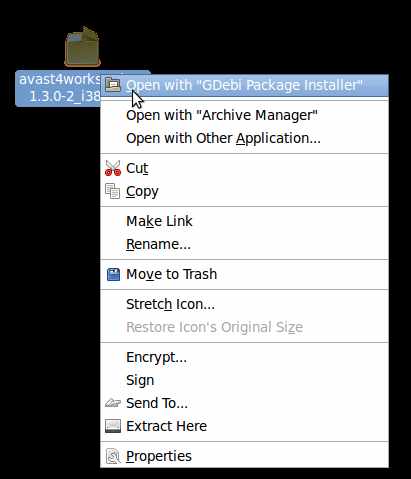
4. Click on “Install Package” Button and type in your password.
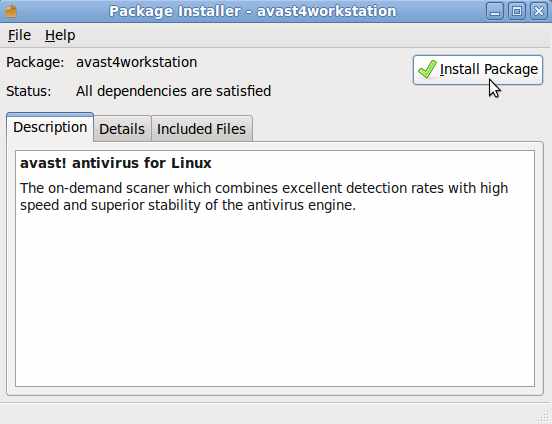
5. Wait for avast to finish installing.
6. click close.
7. Avast is located at Applications>Accessories>Avast Antivirus.
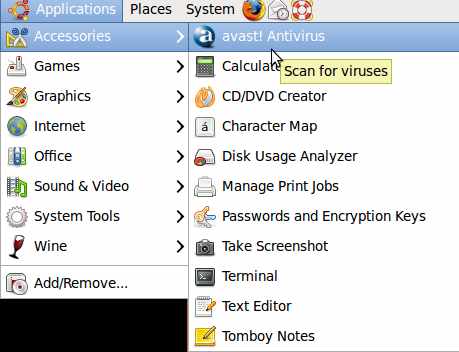
8. Register Avast
9. Click update database.
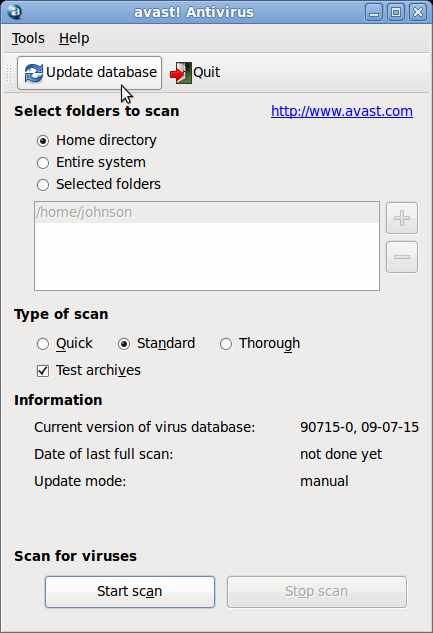
10. click “Start scan” button.