Ubuntu Janitor is used to remove files which Ubuntu does not need anymore, but you should be careful when using Ubuntu Janitor since some users had Ubuntu’s Computer Janitor break their installation of Ubuntu.
1. Login as an Administrator user in Ubuntu.
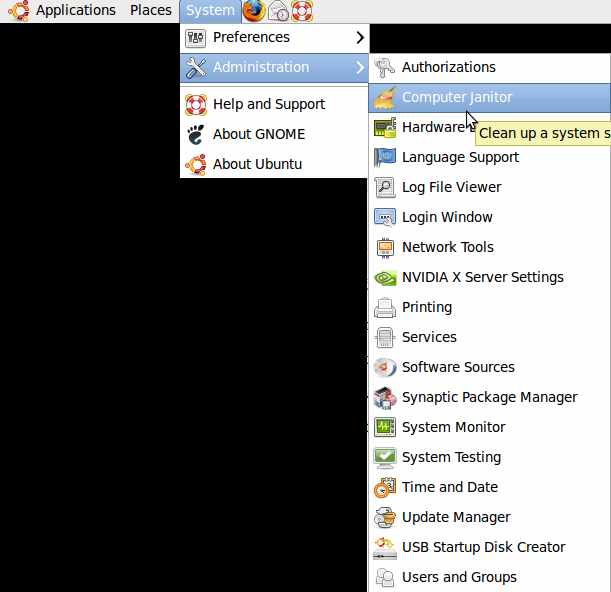
2. Go to System > Administration > Computer Janitor
3. Type in your administrator password.
4. Uncheck the things you do not want to delete, and click “Clean up” button.
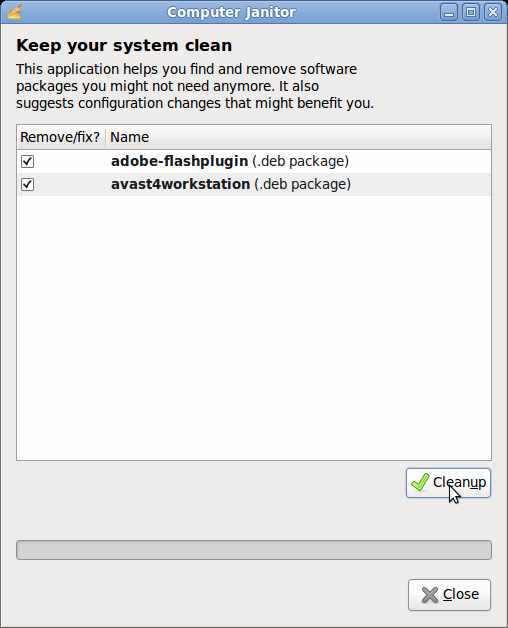
5. Click Yes if you want to delete the items when a pop up windows appears.
6. Click the close button when you are done.
BleachBit is a better Disk Cleanup tool then Janitor. You can find Bleachbit at the Ubuntu Software Center in Ubuntu OS.