Turning on the Ubuntu Firewall can protect you even better from hackers who want to hack into your Ubuntu based Firewalls since the Ubuntu Firewall blocks outsiders from getting into your computer. Turning on the Ubuntu Firewall from Terminal only takes a few minutes to do to increase Ubuntu’s network and internet security.
Login with an Administrator account for Ubuntu.
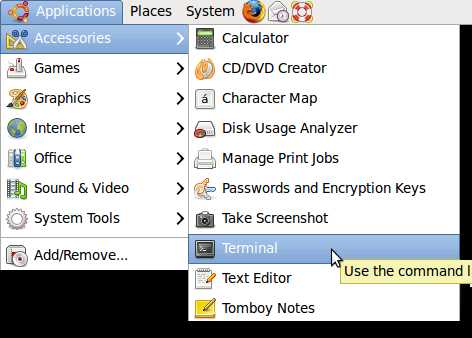
Start Terminal by going to Applications>Accessories Terminal.
Type these commands in Terminal Command Prompt:
sudo ufw allow ssh/tcp
[sudo] password for USER:Your Admin. USER Password
sudo ufw logging on
sudo ufw enable
sudo ufw status
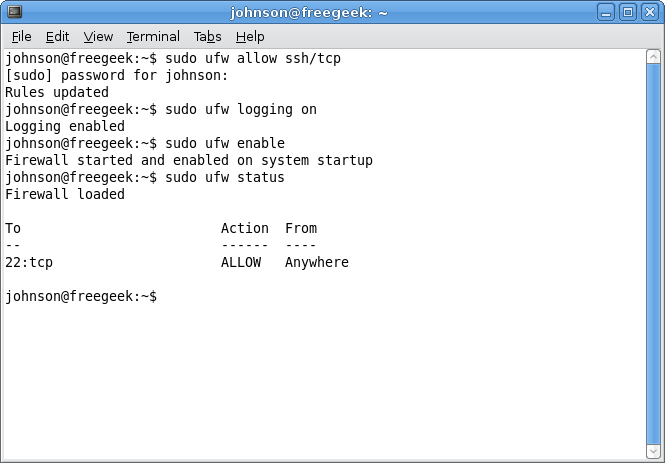
My Terminal Screen
johnson@johnson-desktop:~$ sudo ufw allow ssh/tcp
[sudo] password for johnson:
Rules updated
johnson@johnson-desktop:~$ sudo ufw logging on
Logging enabled
johnson@johnson-desktop:~$ sudo ufw enable
Firewall is active and enabled on system startup
johnson@johnson-desktop:~$ sudo ufw status
Status: active
To Action From
— —— —-
22/tcp ALLOW Anywhere
Source for more information on the firewall for Ubuntu https://wiki.ubuntu.com/UbuntuFirewall